
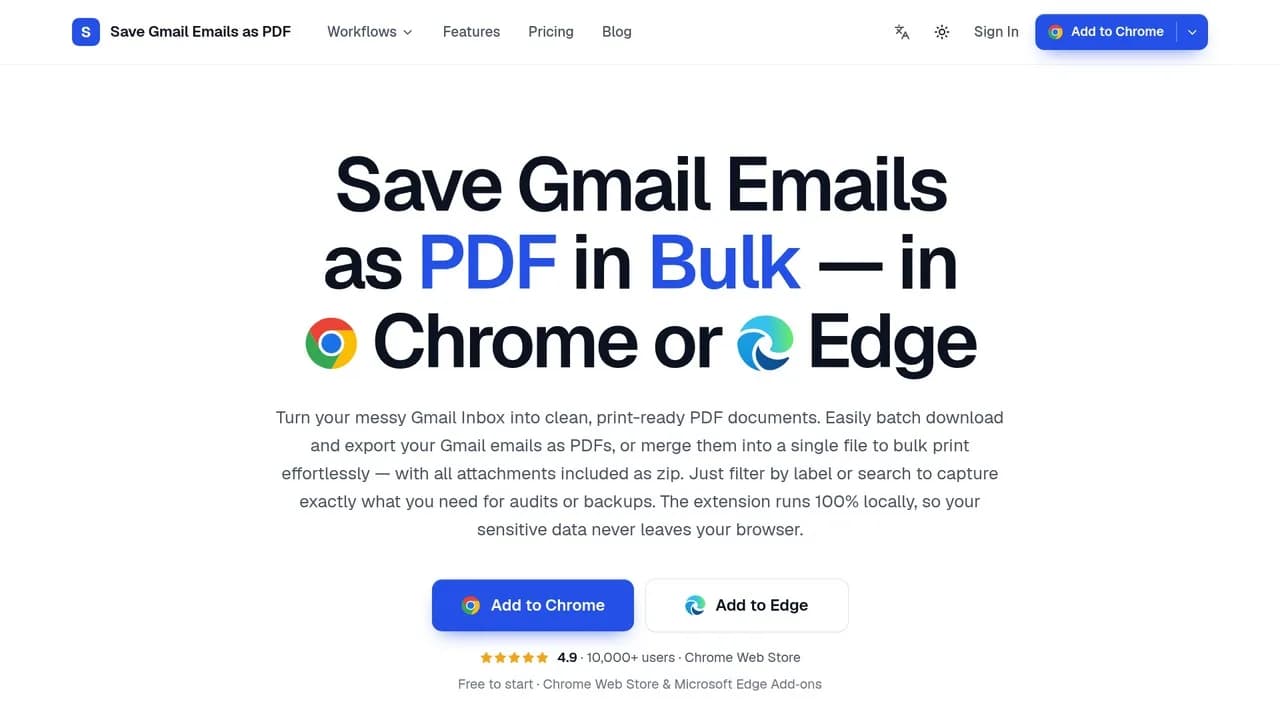
Save Gmail Emails as PDF in Bulk
Chrome and Edge extension that saves Gmail emails as PDFs in bulk, merges up to 50 into one PDF to save or print, and keeps attachments. Nothing is uploaded.
About the Tool
Discussion (0)
No comments yet. Be the first to share your thoughts!
Similar Productivity Tools

Chicago Laundromats Near Me
Chicago Laundromats Near Me is a local directory service that helps residents find laundromats across Chicago.

Cece AI
CeCe AI is an AI executive assistant that works through email. It handles scheduling, replies, quotes, invoices, and follow-ups.

SummarizeVideoToText
Paste a YouTube, TikTok, or Instagram link to get the full transcript plus an AI summary, with follow-up Q&A and Notion export.
Folio
Folio is a free AI-powered PDF toolkit for iPhone: scan, convert, merge, compress, sign and fill PDFs, plus AI summaries and answers about any file.

Scope Change Desk
Log scope changes, estimate extra work with your hourly rate, and export a clear HTML summary. $19 once; downloadable desktop-browser app.

ZLogin
ZLogin is an antidetect browser for multi-account work: fingerprint isolation, team profiles, and secure proxy routing for agencies and marketers.