
VocalRemove
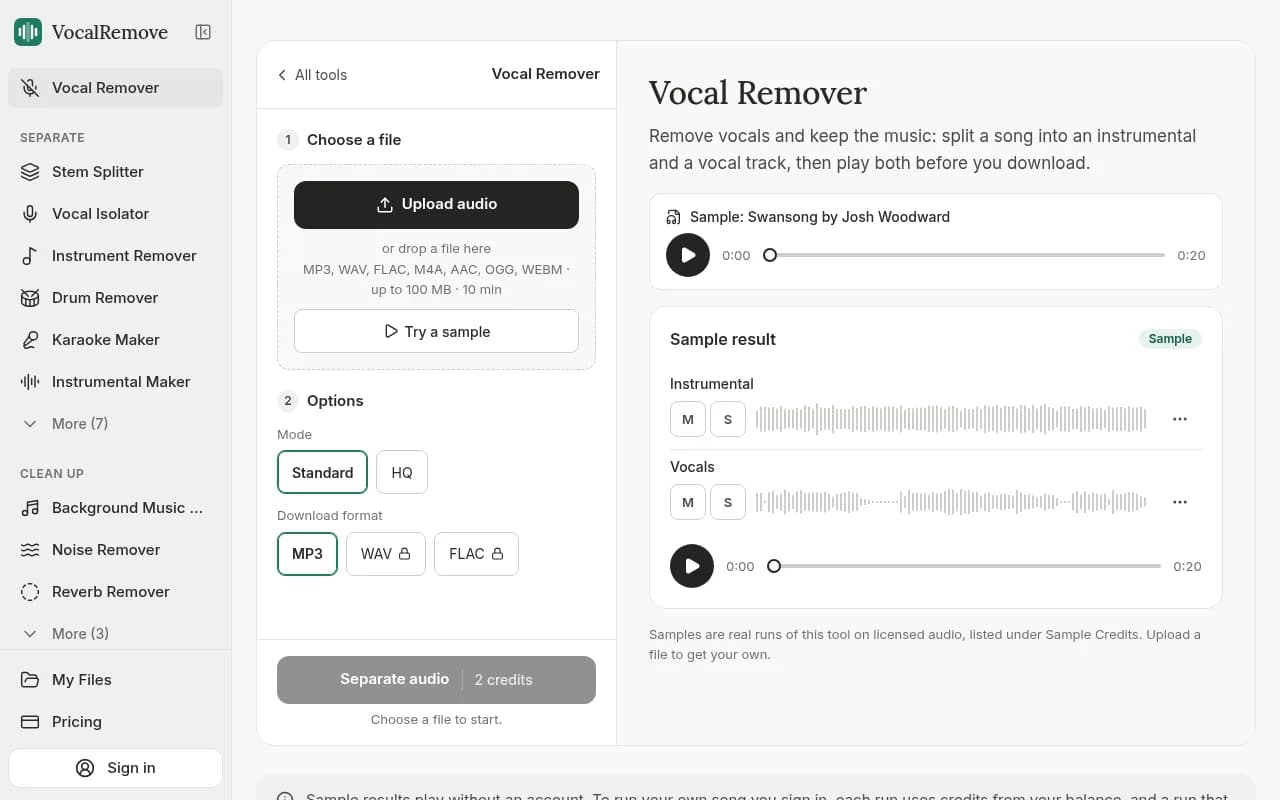
Vocal remover to remove vocal tracks from a song and keep a clean instrumental. Upload audio, preview the vocals and the music online, then download both.
About the Tool
Discussion (0)
No comments yet. Be the first to share your thoughts!
Similar Music & Audio Tools

Speakmi
Text-to-speech and voice cloning service. Type text — get natural-sounding audio in seconds. Send a voice sample — speak with that voice. Browser and Telegram.

Vocal Separator
Separate vocals and instrumental from your own recordings in the browser. Free, no sign-up: listen to both tracks and download WAVs. Up to 10 min per file.

Dessa AI
Dessa AI is an independent browser studio for live voice chat and text to speech. Not affiliated with Block’s Dessa.
Audio2MIDI
Audio to MIDI and sheet music converter: MP3, WAV or humming to MIDI, PDF and MusicXML

Hum to Search
Hum to Search is a browser-based music recognition app. Hum, sing, or upload audio to identify a song with links to Spotify, Apple Music and YouTube.
NotaGen
NotaGen is a free AI music notation generator that turns text prompts into editable sheet music, MIDI and ABC notation for composers, teachers and students.