
18 Best AI Audio Tools for Remote Teams (2026)
AI tools for voice cloning, transcription, podcast editing, and audio production. This guide covers the best options for distributed teams and remote-first companies — with real comparisons, pricing details, and direct links to try each tool.
18 AI Audio Tools for Remote Teams
Ranked by relevance to ai audio, then community upvotes. Every listing is manually reviewed.
- 1
 HiliteFreemium
Hilite helps creators record, edit, enhance, and publish podcasts faster with AI tools for transcripts, show notes, audio cleanup, and RSS publishing.
- 2
 MP3 to SRT (Subtitle Generator)Freemium
MP3 to SRT helps you convert MP3/audio into SRT subtitle files online.Upload an MP3, click transcribe, then export SRT for captions/subtitles.
- 3
 Vocallab AIFree
Realistic AI Voices for All Content Needs, Create Stunning, Realistic AI Voices in Seconds
- 4
 GPT TranscribeFree
GPT Transcribe turns audio and video into accurate text with general, compact, and speaker-label transcription workflows in the browser.
- 5
 Speakmi Freemium
Text-to-speech and voice cloning service. Type text — get natural-sounding audio in seconds. Send a voice sample — speak with that voice. Browser and Telegram.
- 6
 GenerateSongs.aiPaid
AI Music Generation API for Apps, Games, and Platforms. Turn Words into Songs
- 7
 VoxworksPaid
Low-latency voice AI with natural Australian accents, built-in local compliance and full data sovereignty.
- 8

Songr is an AI song generator that instantly creates original music tracks complete with professional vocals based on your simple ideas or existing lyrics.
- 9
 FindGenreFreemium
FindGenre is an AI audio analysis tool that instantly identifies music genre, BPM (beats per minute), and key from any song.
- 10
 DupesPaid
macOS tool for DJs to remove duplicate tracks safely, Clean duplicate tracks from your Serato DJ library.
- 11
 AISongGiftPaid
AISongGift helps people turn names and shared memories into a personal song they can give to someone they care about when words feel too small.
- 12
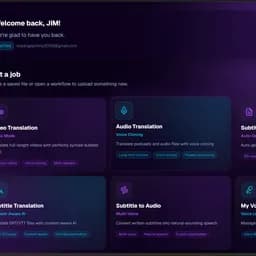 Octavia AIFreemium
The world's most advanced AI dubbing platform. Translate video, audio, and subtitles into 60+ languages with perfect lip-sync and natural, expressive voices.
- 13
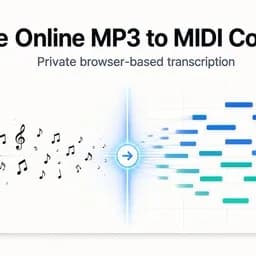
AI-powered MP3 to piano MIDI converter running entirely in your browser. No signup, no uploads, complete privacy. Built-in piano roll editor to refine notes.
- 14
 SoundwaverFreemium
AI text-to-speech platform with director-mode emotion control, 30-second voice cloning and custom voice design. Free to start, paid from $6/mo.
- 15
 SoundToMIDIFreemium
Convert common audio files to editable MIDI locally in your browser, preview detected notes, and download Raw MIDI for free.
- 16
 VideoTextFreemium
AI tool that turns long videos into transcripts, summaries, chapters & subtitles in minutes. Built for creators, editors, and teams.
- 17
 123audioFreemium
Convert audio to text online for free with 123audio. Get fast transcripts with timestamps, speaker labels, AI summaries, and TXT, DOCX, PDF or SRT exports.
- 18
 BlabbyAIFreemium
Talk instead of typing. AI dictation for Windows and Chrome types your speech into any app on one shortcut. 90+ languages, free tier, no card, $8.49/mo.
Why Remote Teams Need AI Audio Tools
Remote Teams face specific challenges around async communication, knowledge management, and maintaining team culture across time zones. Traditional tools weren't built for the speed and scale that modern distributed teams and remote-first companies require. AI Audio Tools bridge this gap by automating the most time-consuming parts of the workflow — letting remote teams focus on strategy and creativity rather than execution.
What AI Audio Tools Can Do for Remote Teams
The right ai audio AI tool can help distributed teams and remote-first companies to use AI to summarize meetings, manage knowledge bases, and keep distributed teams aligned without meeting overload. Here's what to look for when evaluating options:
- →Workflow fit — does it integrate with the tools remote teams already use?
- →Output quality — does it produce results that meet remote teams professional standards?
- →Ease of use — can remote teams get value without a lengthy learning curve?
- →Pricing model — is there a free tier or trial to validate before committing?
- →Support and updates — is the product actively maintained and improving?
How to Choose the Best AI Audio AI Tool as a Remote Team
Choosing between ai audio tools comes down to three factors: your specific use case within distributed teams and remote-first companies, the volume of work you need to handle, and your budget. Start with free or freemium tools to validate the workflow, then upgrade when AI-driven output becomes a consistent part of your delivery. Most remote teams who invest in the right ai audio AI tool report recouping the cost within the first month through time savings alone.
AI Audio Tools vs Traditional Tools for Remote Teams
| Factor | AI Audio Tools | Traditional Tools |
|---|---|---|
| Speed | 10–100x faster output generation | Manual, time-intensive |
| Scale | Handles high volumes without extra headcount | Requires more staff to scale |
| Cost | Typically $0–$100/month | Often requires expensive specialists |
| Quality | AI + human review = consistent quality | Variable, human-dependent |
| Learning curve | Most tools ready in minutes | Often requires training |
Frequently Asked Questions
What are the best ai audio tools for remote teams?
The best ai audio tools for remote teams are those that address the key challenges of async communication, knowledge management, and maintaining team culture across time zones. Look for tools with remote teams-specific features, good integrations, and strong user reviews from similar teams. Browse the LaunchBoosts directory to find verified options.
Are there free ai audio tools for remote teams?
Yes. Many ai audio tools offer free or freemium plans. Filter the LaunchBoosts directory by "Free" pricing to find no-cost options that remote teams can use to get started immediately.
How do ai audio tools help remote teams?
AI Audio Tools enable distributed teams and remote-first companies to use AI to summarize meetings, manage knowledge bases, and keep distributed teams aligned without meeting overload. The result is faster delivery, higher quality output, and more time for the strategic work that actually moves the needle.
How much do ai audio tools cost for remote teams?
AI Audio Tools range from completely free to $200+/month for enterprise plans. Most remote teams find that the $20–$80/month range covers all professional needs. Many tools offer annual billing discounts of 20–40%.
More AI Tools for Remote Teams
AI Audio Tools for Other Teams
Find Your Perfect AI Audio AI Tool
Browse the complete LaunchBoosts directory of ai audio tools — verified, rated, and ready to try.