
18 Best AI Video Tools for Freelancers (2026)
AI-powered video creation, editing, and production software. This guide covers the best options for independent professionals and solopreneurs — with real comparisons, pricing details, and direct links to try each tool.
18 AI Video Tools for Freelancers
Ranked by relevance to ai video, then community upvotes. Every listing is manually reviewed.
- 1
 CleanVideoTextFreemium
AI removes baked-in text from video by rebuilding the background instead of blurring or cropping. Upload MP4 or MOV, mark the text, export a clean clip.
- 2
 VideoTextFreemium
AI tool that turns long videos into transcripts, summaries, chapters & subtitles in minutes. Built for creators, editors, and teams.
- 3
 Caption RemoverFreemium
Clean authorized short videos: Basic auto-removal or Pro fixed-area cleanup. Sign-in required; first 3 successes free, then paid from $9.90/month.
- 4
 PavoAIFreemium
Create videos from text and images with AI models, editing, avatars, music, subtitles, and upscaling.
- 5
 Video Text Remover AIFreemium
Erase burned-in text, subtitles, captions, watermarks and logos from your own videos online. Mark the area, check the credit cost, download. Free preview.
- 6
 CoAnimatorFree
CoAnimator is the agentic animation studio where an AI agent becomes your co-animator, building product demos, launch videos, and tutorials while you watch.
- 7
 Video Script ExtractorFreemium
Video Script Extractor is an AI video-to-text transcription tool that extracts editable transcripts and subtitles from video links or uploads.
- 8

Create free short music-video clips from a prompt or two frames, with no signup required. Make vertical visuals for song teasers, Reels, and YouTube Shorts.
- 9
 Motion Control AIFreemium
Animate character images with motion from reference videos. Create AI dance clips, expressive avatars, and social videos in your browser.
- 10
 OpenClipsFreemium
OpenClips puts Seedance, Veo, Kling, Hailuo, Seedream and Flux in one composer. Generate video or images from text or a product photo, paid per render.
- 11
 VideoTextRemoverFreemium
AI tool that removes text, subtitles, captions and watermarks from videos, with a free monthly allowance.
- 12
 LumividsFreemium
Create publish-ready videos in minutes, not hours Turn an idea into an AI video in a few clicks, with no editing software and no setup required.
- 13
 VidLoaderFreemium
VidLoader is a powerful desktop video downloader that lets you download videos, playlists, audio, and subtitles from thousands of supported websites.
- 14
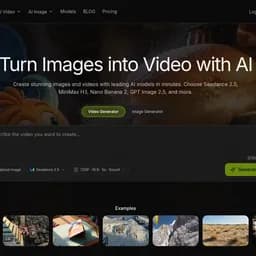 ReelDanceFreemium
All-in-one AI creative studio for images and videos: generate visuals from text and turn photos into short video clips.
- 15
 TidraFreemium
AI text-to-video and image-to-video that turns a prompt or still into an editable clip. Freemium.
- 16

WAN Video Generator helps fashion marketers turn text prompts or still images into Wan 2.7 mood clips, collection concepts, and campaign drafts.
- 17
 Text to VideoFree
Free AI text-to-video generator — turn text prompts into cinematic clips.
- 18

Generate free 5-second, 480p clips from text prompts or first-and-last-frame images, with no account required.
Why Freelancers Need AI Video Tools
Freelancers face specific challenges around managing multiple clients, meeting tight deadlines, and competing with larger agencies. Traditional tools weren't built for the speed and scale that modern independent professionals and solopreneurs require. AI Video Tools bridge this gap by automating the most time-consuming parts of the workflow — letting freelancers focus on strategy and creativity rather than execution.
What AI Video Tools Can Do for Freelancers
The right ai video AI tool can help independent professionals and solopreneurs to deliver agency-quality output as a solo operator, speed up production, and handle more clients without burning out. Here's what to look for when evaluating options:
- →Workflow fit — does it integrate with the tools freelancers already use?
- →Output quality — does it produce results that meet freelancers professional standards?
- →Ease of use — can freelancers get value without a lengthy learning curve?
- →Pricing model — is there a free tier or trial to validate before committing?
- →Support and updates — is the product actively maintained and improving?
How to Choose the Best AI Video AI Tool as a Freelancer
Choosing between ai video tools comes down to three factors: your specific use case within independent professionals and solopreneurs, the volume of work you need to handle, and your budget. Start with free or freemium tools to validate the workflow, then upgrade when AI-driven output becomes a consistent part of your delivery. Most freelancers who invest in the right ai video AI tool report recouping the cost within the first month through time savings alone.
AI Video Tools vs Traditional Tools for Freelancers
| Factor | AI Video Tools | Traditional Tools |
|---|---|---|
| Speed | 10–100x faster output generation | Manual, time-intensive |
| Scale | Handles high volumes without extra headcount | Requires more staff to scale |
| Cost | Typically $0–$100/month | Often requires expensive specialists |
| Quality | AI + human review = consistent quality | Variable, human-dependent |
| Learning curve | Most tools ready in minutes | Often requires training |
Frequently Asked Questions
What are the best ai video tools for freelancers?
The best ai video tools for freelancers are those that address the key challenges of managing multiple clients, meeting tight deadlines, and competing with larger agencies. Look for tools with freelancers-specific features, good integrations, and strong user reviews from similar teams. Browse the LaunchBoosts directory to find verified options.
Are there free ai video tools for freelancers?
Yes. Many ai video tools offer free or freemium plans. Filter the LaunchBoosts directory by "Free" pricing to find no-cost options that freelancers can use to get started immediately.
How do ai video tools help freelancers?
AI Video Tools enable independent professionals and solopreneurs to deliver agency-quality output as a solo operator, speed up production, and handle more clients without burning out. The result is faster delivery, higher quality output, and more time for the strategic work that actually moves the needle.
How much do ai video tools cost for freelancers?
AI Video Tools range from completely free to $200+/month for enterprise plans. Most freelancers find that the $20–$80/month range covers all professional needs. Many tools offer annual billing discounts of 20–40%.
More AI Tools for Freelancers
AI Video Tools for Other Teams
Find Your Perfect AI Video AI Tool
Browse the complete LaunchBoosts directory of ai video tools — verified, rated, and ready to try.